




Share what’s needed. Hide what is yours!
Meet Sano Shield, our local privacy model for English and German. It detects sensitive details in the inputs you select for protection, so you can review and replace them before sending them to AI.
View model card on Hugging Face How Sano protects your data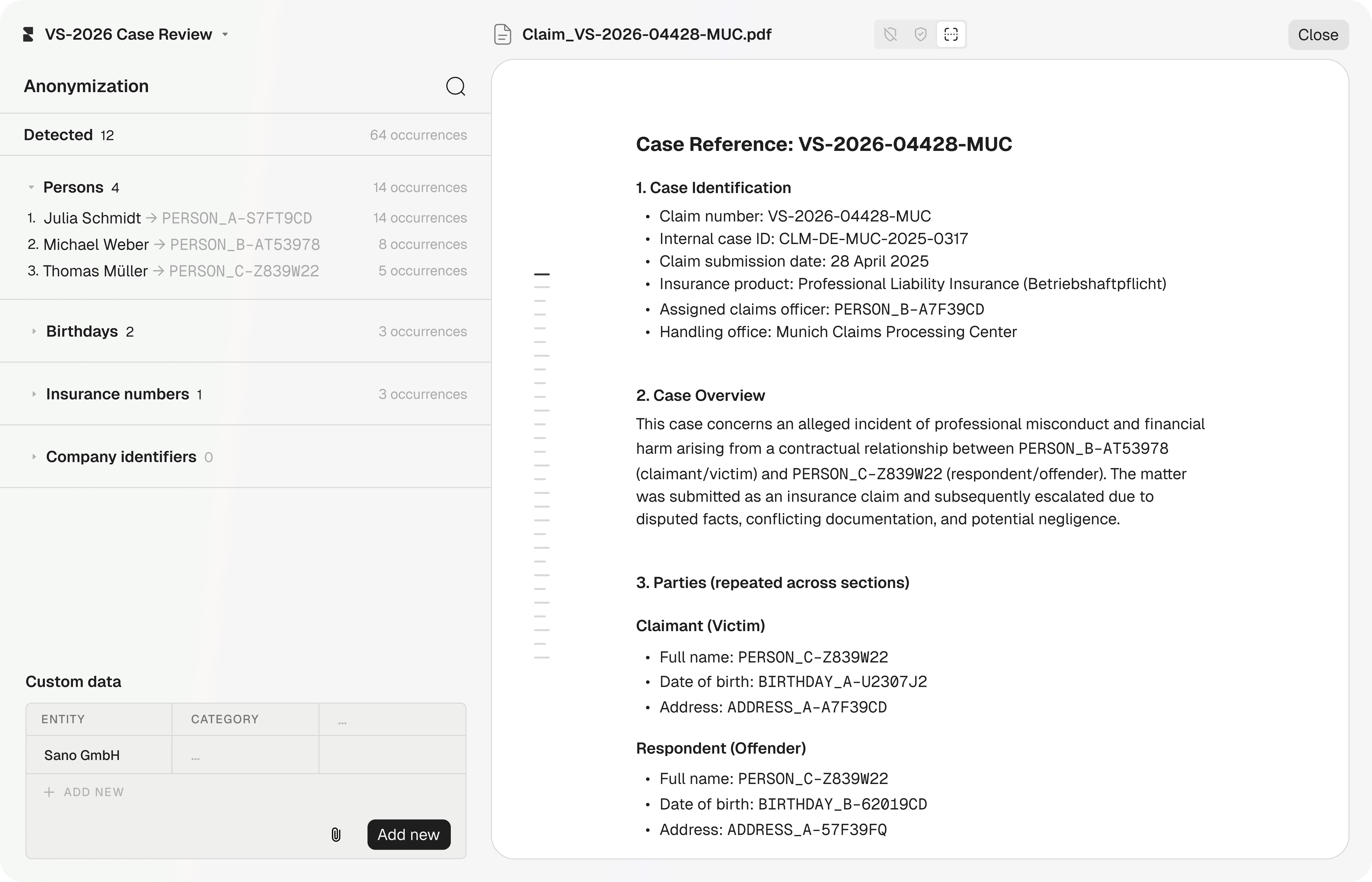
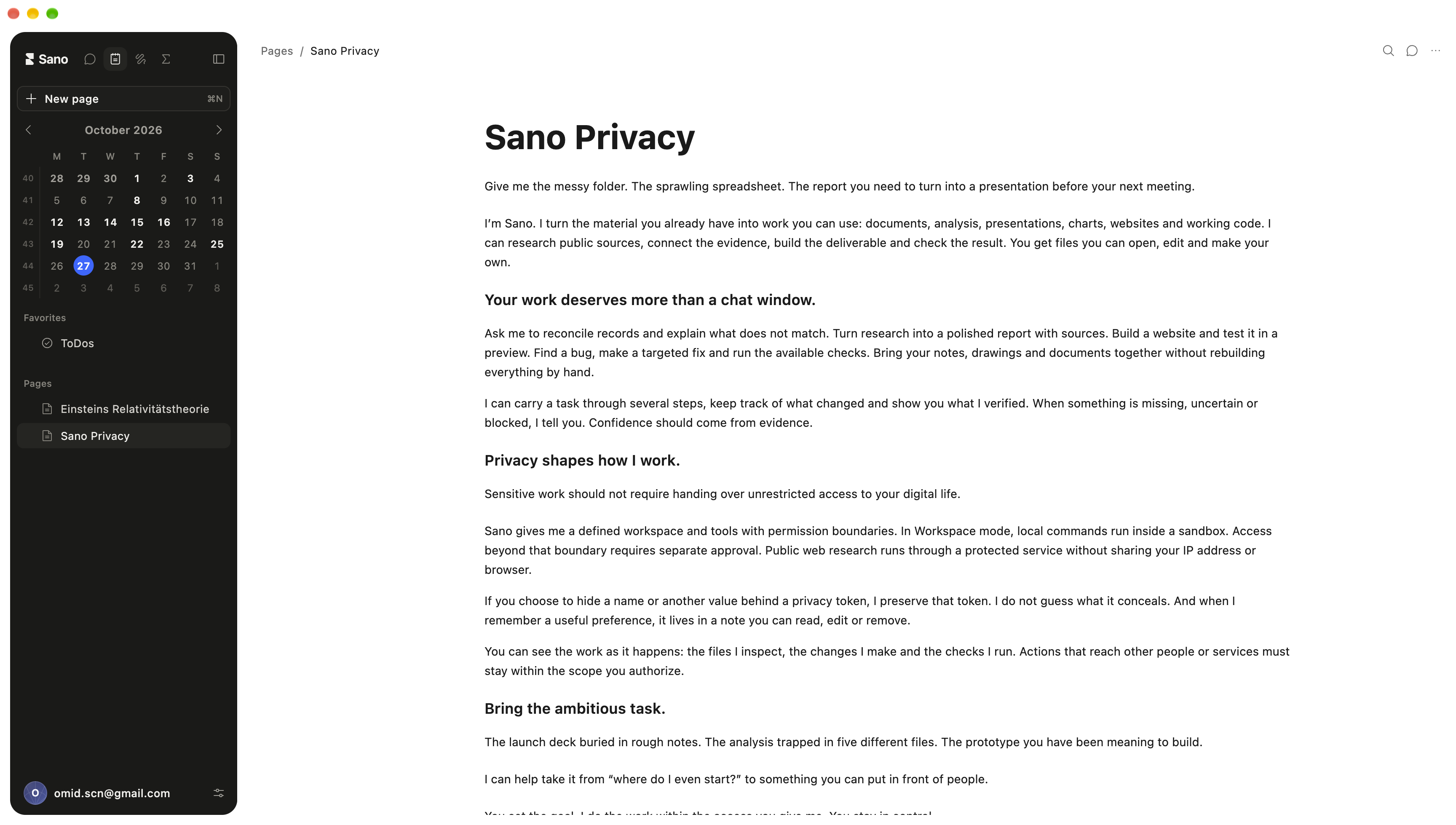
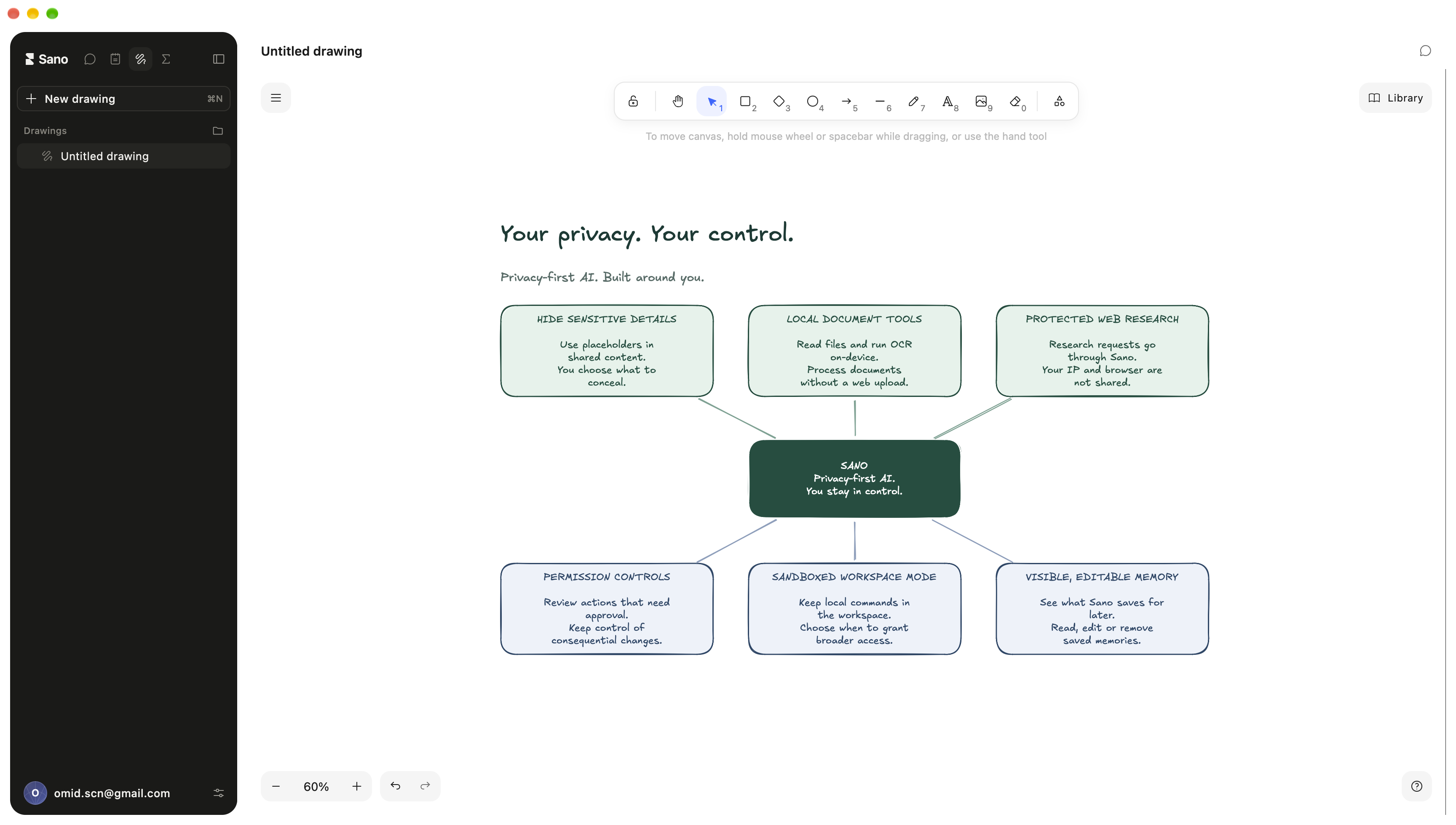
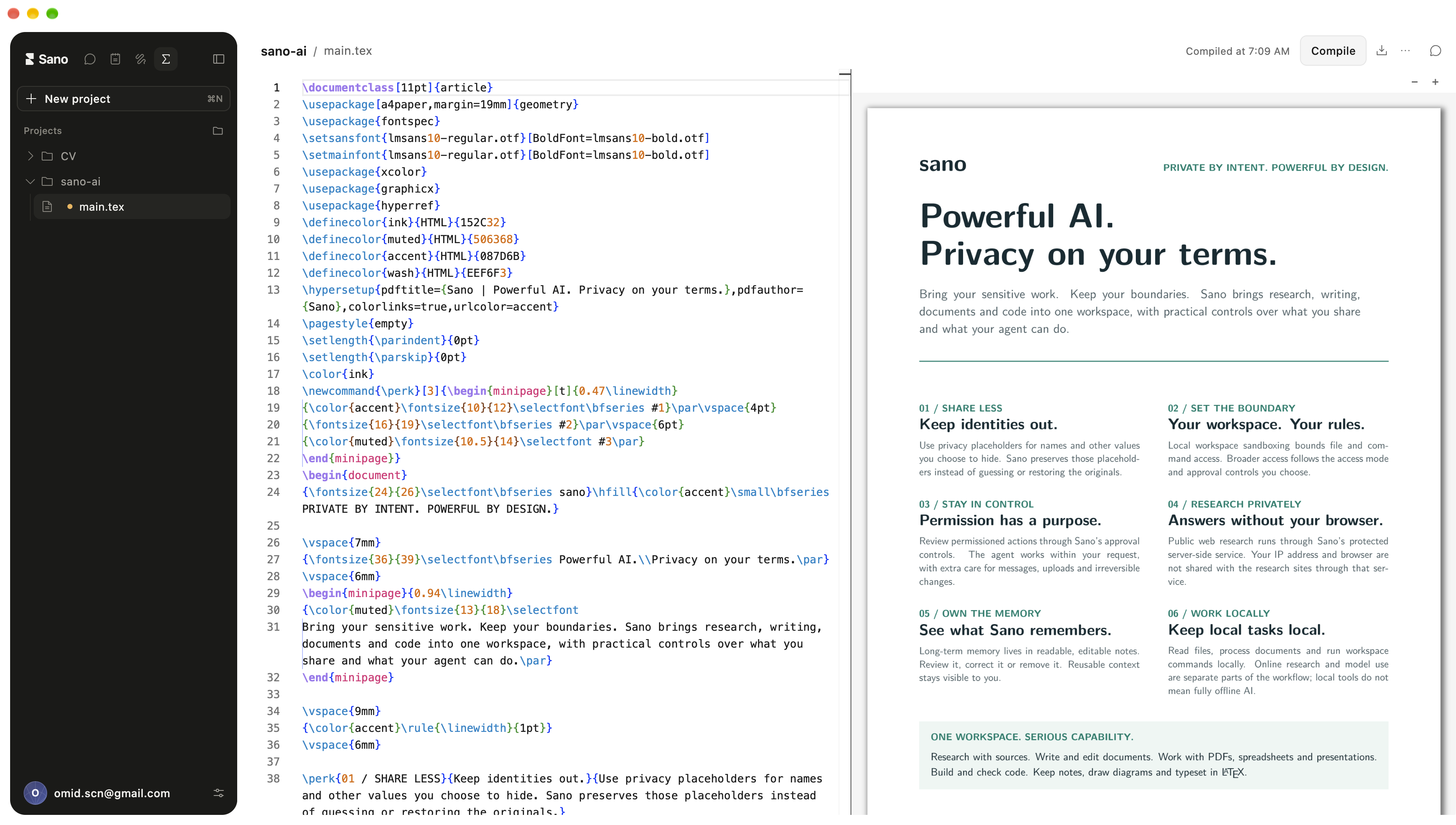
Sano, on the go. Coming soon.
We’re bringing Sano to mobile. More to share soon.
For the way you work. On your own. Or together.
Sano Base
Personal
€20 / month · Billed monthly · Including VAT
Yearly · Save 10%: €18 / month · Billed €216 yearly · Including VAT
- Base usage allowance
Sano Pro
Personal
€100 / month · Billed monthly · Including VAT
Yearly · Save 10%: €90 / month · Billed €1,080 yearly · Including VAT
- 5× the usage credit of Base
Sano Business
Company
€29 / seat / month · Billed monthly · Excluding VAT
Yearly · Save 10%: €26.10 / seat / month · Billed €313.20 per seat yearly · Excluding VAT
- Base usage per seat
Sano Business Pro
Company
€100 / seat / month · Billed monthly · Excluding VAT
Yearly · Save 10%: €90 / seat / month · Billed €1,080 per seat yearly · Excluding VAT
- 5× Business usage credit per seat
With every plan
- Unlimited anonymizations with Sano Shield
- Additional usage credit available to buy
Company plans: shared usage credit and one invoice, with a two-seat minimum.
A little more about Sano.
What can I do with Sano Work?
Long-running tasks, parallel agents and direct work on your files. Sano brings the power of a desktop agent to your everyday work, with native notes, connected tools and editable documents, presentations and websites.
Where is my data stored and processed?
Your conversations and history stay on your computer. Protect selected inputs with Sano Shield: sensitive values are detected, replaced and restored locally.
German or EU-hosted models. Zero data retention. No model training. §203 confidentiality for German-hosted models.
ZDR covers model inputs and outputs. Operational metadata is handled separately.
How does Sano Shield protect my inputs?
Protect sensitive details before sending your inputs to AI. Sano Shield 1 detects sensitive values locally in the inputs you select for protection.
Protection applies to selected inputs. Tools and connected-service content are not automatically anonymized.
Required-span recall: German 98.30% (5,796/5,896), English 96.32% (5,923/6,149). Shield 1.2 on paired held-out synthetic stress suites of 3,000 records per language, run through Sano’s current product pipeline. Combined required-span recall: 97.29%. The evaluation data was never used for training.
Are my notes part of Sano Work?
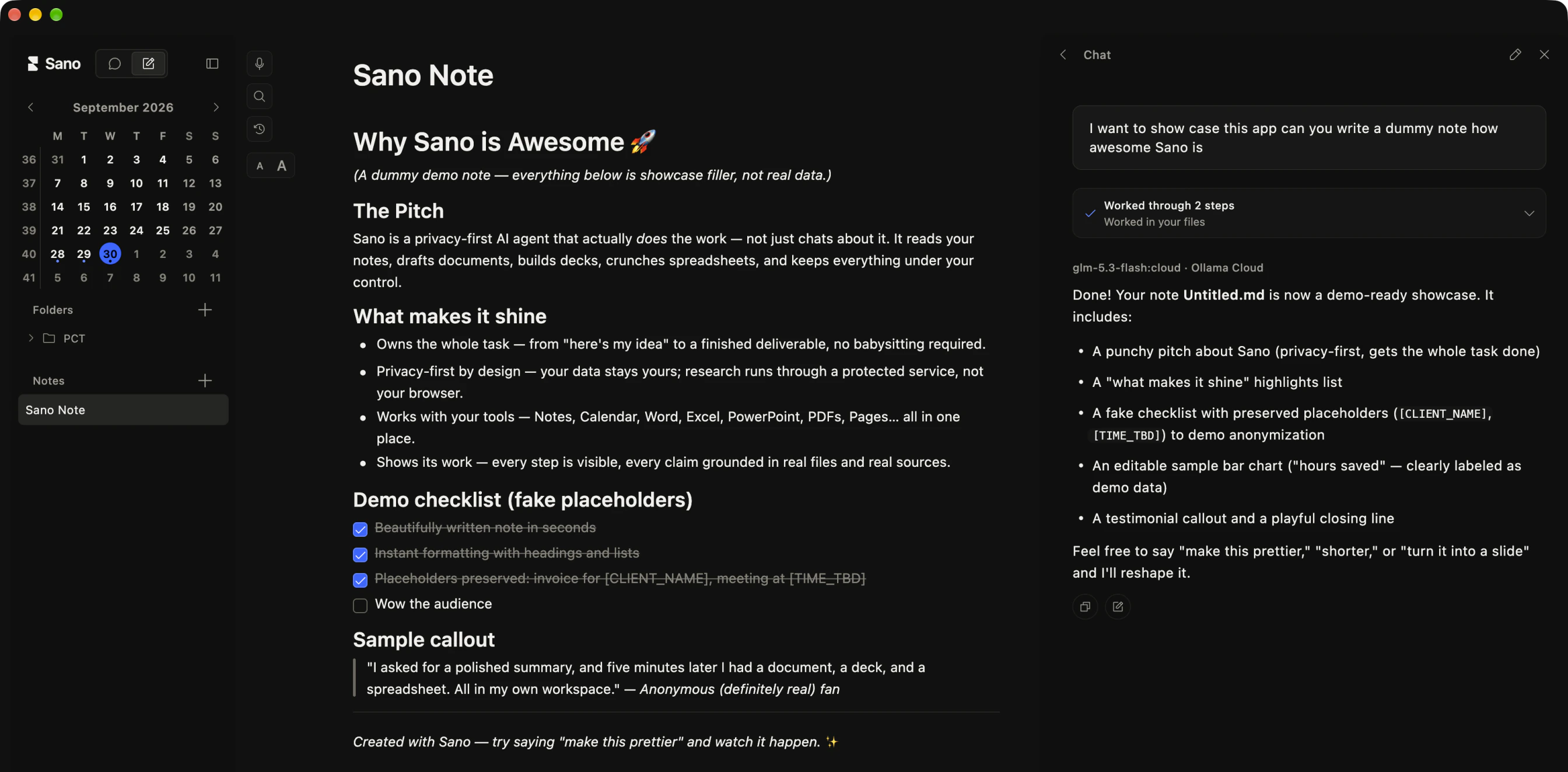
Sano Notes is built into Sano Work. Your notes and your agent live side by side, ready to work together. Ask your agent to find context, connect ideas, and write the next version directly into your notes.
Sano Work’s built-in block editor keeps your notes as ordinary Markdown files. Organize folders, link your ideas, and export as Markdown or PDF. Your notes stay yours.
Your notes live in Documents/Sano Notes. When your agent reads them for a task, relevant content can be sent to your selected AI model. Changes follow your approval settings.
Can I create drawings and diagrams in Sano?
Yes. Sano Work includes a drawing canvas for sketches and diagrams. Draw and edit by hand, or ask your agent to create and refine a diagram with shapes, labels, and connections.
The result stays editable in Sano. Export your drawing as SVG or PNG to use it in a document, presentation, or another tool.
Can I work on LaTeX documents in Sano?
Yes. Sano Work includes a LaTeX editor with source code and a compiled PDF preview side by side. Ask your agent to create a project, edit the text and formulas, or work with supporting files such as images and bibliographies.
Enable LaTeX in Settings to make projects available to your agent. Compile with the bundled engine, review any errors, and export the PDF. You can also edit the source directly in Sano.
Which email and calendar accounts can I connect?
Connect your email and calendar to Sano. Catch up on conversations, prepare replies and plan your next meeting—all from your desktop workspace.
- Gmail. Find emails, read conversations, and turn a thread into a clear summary or a reply draft. Drafts stay in Gmail for you to review and send.
- Google Calendar. See upcoming events, check availability, and ask Sano to create or update a meeting. You confirm calendar changes before they happen.
- Outlook & Exchange. Search your Outlook mail, prepare reply drafts, and manage your calendar. Connect a Microsoft 365 or Exchange Online account, or your personal Outlook.com account.
What happens when Sano uses my email or calendar?
- Choose your accounts. Connect in Settings → Email & Calendar. Sign in with Google or Microsoft, review the requested permissions, and disconnect whenever you want. Organization policies may require administrator approval.
- Review before action. Sano asks before saving a draft or creating, changing, or responding to an event. Email drafts are never sent by Sano. Calendar providers may send invitations or updates to attendees.
- Know where data goes. Account credentials stay in your device’s secure credential store. Email and calendar data are retrieved directly to your device. Relevant excerpts reach your selected AI model when it helps with your request; Sano does not store that content on its servers.
Can Sano work with my browser and design tools?
Connections stay visible and intentional. Sano asks before local tools are connected.
Protection applies to selected inputs. Tools and connected-service content are not automatically anonymized.
- OpenDesign. Ask Sano to connect OpenDesign, approve the detected local setup, then create and refine prototypes, decks, documents, images, and video in the OpenDesign workspace.
- BrowserOS neo. Attach BrowserOS neo so Sano Agent can navigate, read, click, and type in its own browser tabs while you watch. Once connected, web research runs through the browser you chose.
Is there an API?
Sano API is coming soon.
Access leading proprietary and open models through one European endpoint—with EU hosting, zero data retention and no model training.
Who is behind Sano?
Sano Studio. Engineering studio behind Sano, from the first sketch to secure production.
Download Sano Work. Try it for free.
Download for Mac Download for WindowsmacOS 14+ · Apple silicon · Windows 10 1809+ · 64-bit
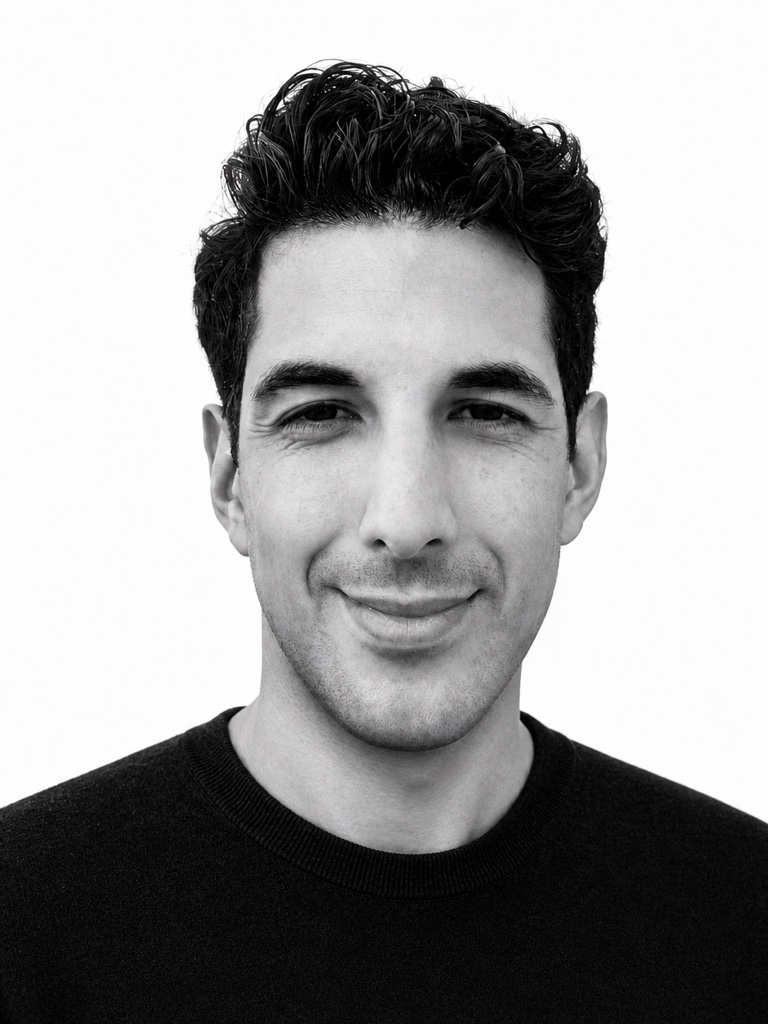
Omid Bicker
Founder of Sano
Contact sales
Let’s talk about your team.
Questions about using Sano at your company? Talk directly with Omid about your workflow, privacy requirements, and the right plan.